
Docs/Getting started
Interface overview
Layers, canvas, inspector and timeline.
Workspace at a glance
The editor is organized around a scene canvas, a layer stack, an inspector and a timeline. The available panels include Plan, Edit, Design, Fusion and Nodes views; use them for story structure, layer editing, composition review and the native node graph.
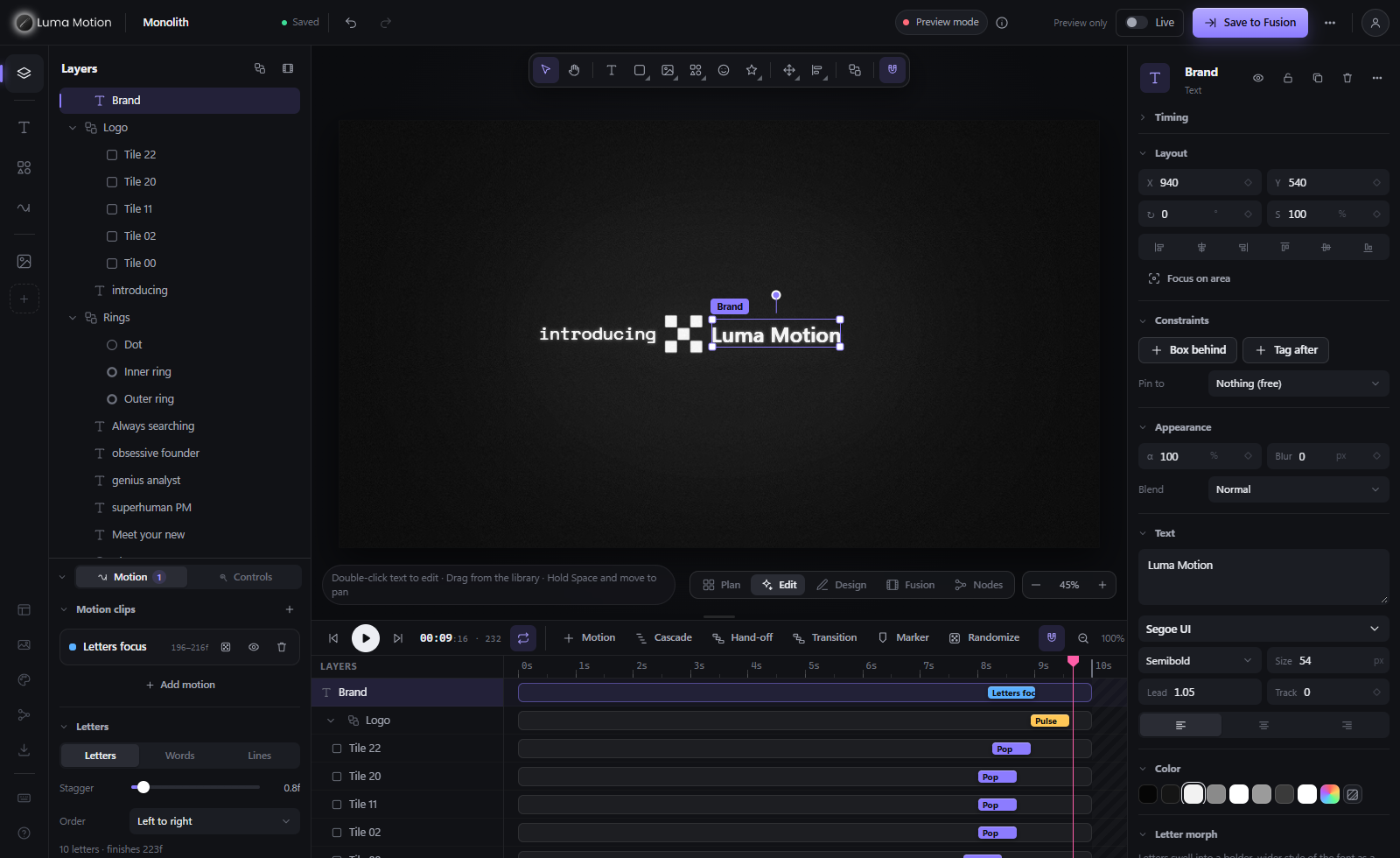
A reliable working loop
- Choose the intended frame size and duration before detailed layout.
- Build and name layers so their purpose remains clear in both the layer stack and the generated Fusion graph.
- Use the timeline for timing and the inspector for selected-layer controls.
- Save to Fusion and review the generated group in the actual comp.
Panel availability can depend on the installed module set and account plan. The app's Modules panel lists the panels available in the current install.